-
01
What is Kantibat?
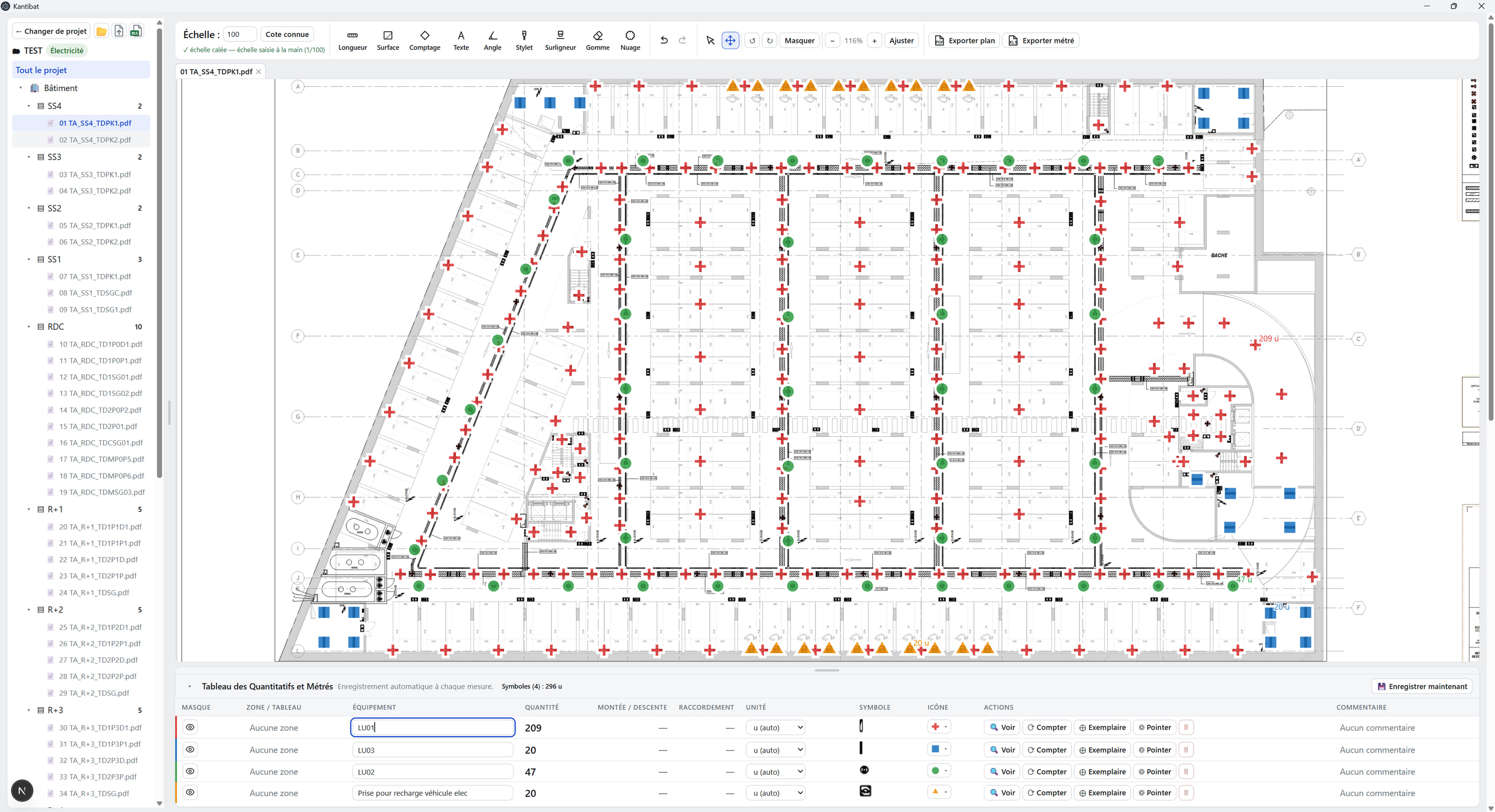
Kantibat is first a tool to organize and open your PDF, DXF and DWG drawings, annotate them and draw on them, and to check the takeoff — useful for a project manager as much as a quantity surveyor. Opening a drawing, annotating it and exporting an annotated PDF needs no account and no connection. Measuring, calibrating scale, counting symbols and exporting the quantities to CSV and Excel needs an account, then a licence after a 60-day trial. Version 1 is in preparation.
-
02
Does Kantibat work offline?
Yes for takeoff work: no drawing, measurement or project leaves the PC, and losing the network does not interrupt a job in progress. Opening, annotating and exporting a drawing needs no connection. A connection is needed to create the account, at the first takeoff action, then for account management — sending a reset code, for example. The supplied AI runs locally.
-
03
Which drawing formats does Kantibat open?
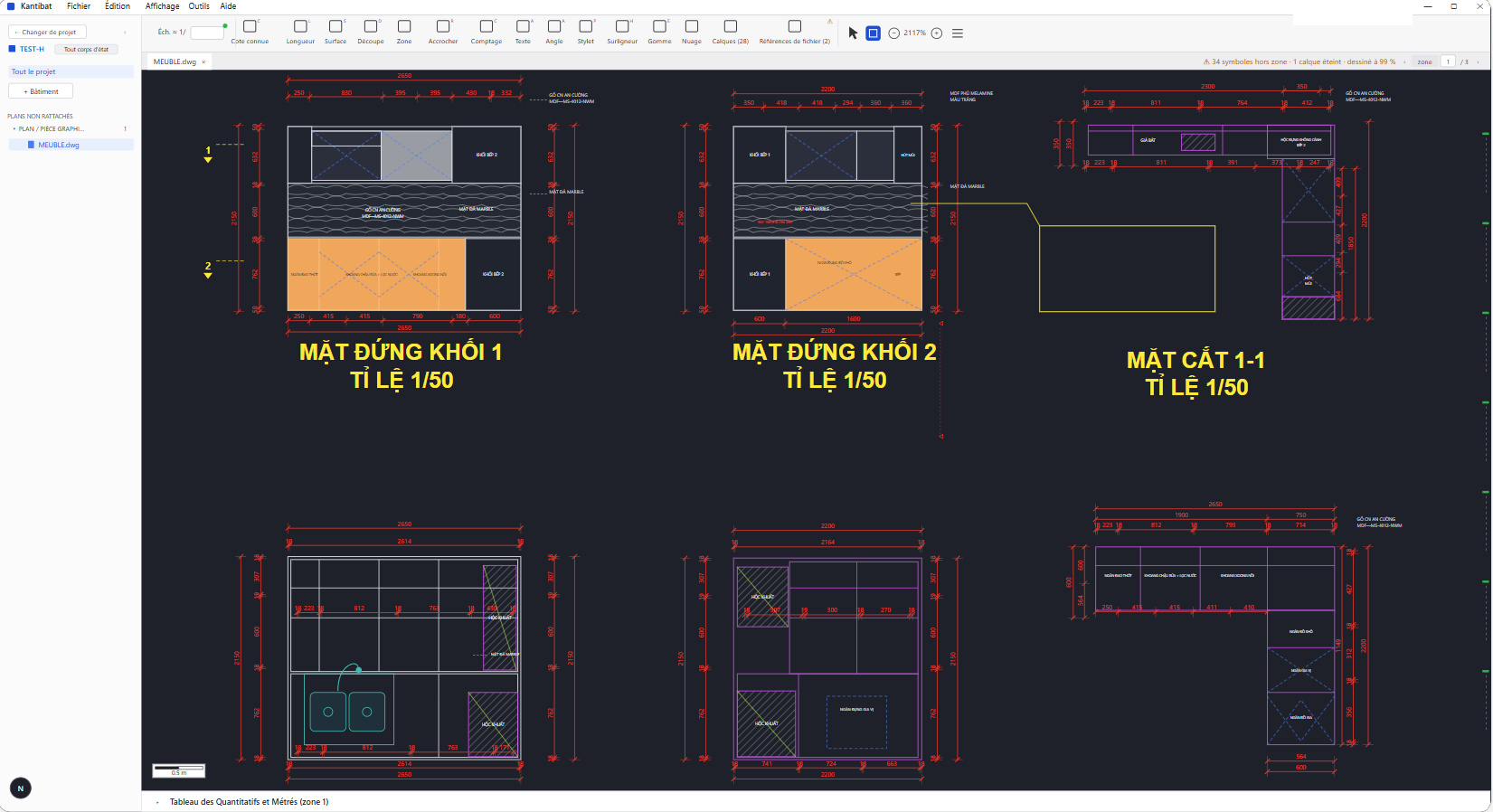
PDF, DXF and DWG. Kantibat opens DWG files from the 2000 to 2026 versions with its own reading engine. It opens several drawings at once, in tabs, and lets you turn the layers of the original file on or off — only the display changes, the drawing itself is not modified.
-
04
Do you need AutoCAD to use Kantibat?
No. Kantibat reads DWG with its own engine, written in-house from the public description of the format: nothing else to install, no CAD licence. Opening a DWG is free everywhere — Autodesk publishes a viewer with no licence, and it is enough to look at a drawing. That is where it stops. Counting the symbols of a legend, keeping your annotations in a project you reopen, producing an Excel quantity take-off: that, Kantibat does without a licence.
-
05
Is there a macOS or Linux version of Kantibat?
Windows is Kantibat's reference platform: Windows 10 and 11 in 64-bit, with no Node.js and no database to install beforehand. A macOS package also exists, for Apple Silicon Macs (M1 and later) — signed and notarised by Apple, it updates itself; Intel Macs are not served. A Linux x64 package also exists, served by a signed APT repository that brings each following version on its own; taken by hand, the package stays at the version installed. An iOS version is planned for phase 2 of the project; it does not exist today. On the hardware side, plan for 8 GB of memory at a minimum and 16 GB if you turn on the local AI, with an SSD: takeoff itself needs no dedicated graphics card.
-
06
What does the artificial intelligence do in Kantibat?
In Kantibat the AI is off by default, and the takeoff works entirely without it. Once enabled, it does three things: read the labels of a drawing legend, suggest which building and floor a drawing belongs to when the file name does not say, and give a cross-check estimate of the number of symbols. That estimate is an order of magnitude shown next to the count; it is never carried into the quantities.
-
07
Where do the drawings imported into Kantibat go?
Drawings, measurements and projects are stored on your computer. By default, the AI is local: it runs on your computer. If your company has designated a remote AI server, the extracts described before sending are transmitted to it; you may also voluntarily attach files to a support request. Account, licence and update services use separate technical exchanges without sending your drawings.
-
08
Who is Kantibat for?
Kantibat is for anyone who works on drawings. First for those who measure: quantity surveyors, construction economists, pricing departments, project managers, and installation companies of every trade. Then for those who read a drawing without measuring it: architects and project supervisors who check and annotate, clients and social landlords, maintenance and facility management, fire safety, cleaning and building services, insurance loss adjusters, solar, EV charging points, low-voltage systems and fibre. Four trade profiles ship with it: electrical, HVAC — heating, ventilation, air conditioning —, plumbing, and all trades.
-
09
How does Kantibat obtain a quantity, and what does it do when it cannot measure one?
In Kantibat the scale is calibrated from the one in the title block, or from a known dimension drawn on the sheet; lengths, areas and counts are then measured on it. Automatic symbol counting proposes markers that the surveyor validates or rejects — nothing enters the quantities without them. As long as the scale is not calibrated, a drawn item is kept but its quantity stays flagged “to be measured”: Kantibat never writes a number it has not measured.
-
10
Is a licence needed to use Kantibat?
Not to browse: opening a drawing, annotating it and exporting an annotated PDF needs no account, no connection, and no licence, now or ever. Measuring, calibrating scale, counting symbols and exporting the quantities needs an account, opened at the first of these actions, then a licence after a 60-day trial without a card — the licence covers one active PC at a time, and the trial is counted on the account, not the machine: reinstalling or switching PCs does not reset it. Before the very first launch, the application shows the full licence agreement offline and does not open until it is accepted, whether to browse or to measure. Students and apprentices get 50% off on proof of enrolment. Subscriptions are taken online on the pricing page; the installer itself downloads with no account and no form.
-
11
Can I annotate a drawing with Kantibat and send it back to someone?
Yes, and that is exactly what browsing, with no account and no connection, is for. Kantibat puts your annotations on a separate layer: the PDF or DWG you received is never modified. You annotate, circle, draw, choose the colour and the line thickness, then you export an annotated PDF carrying a title block that recalls the site, the drawing, the scale and the date. The person you send it to installs Kantibat and answers with their own annotations on the same drawing, without having to create anything or pay.